An answer the moment they ask
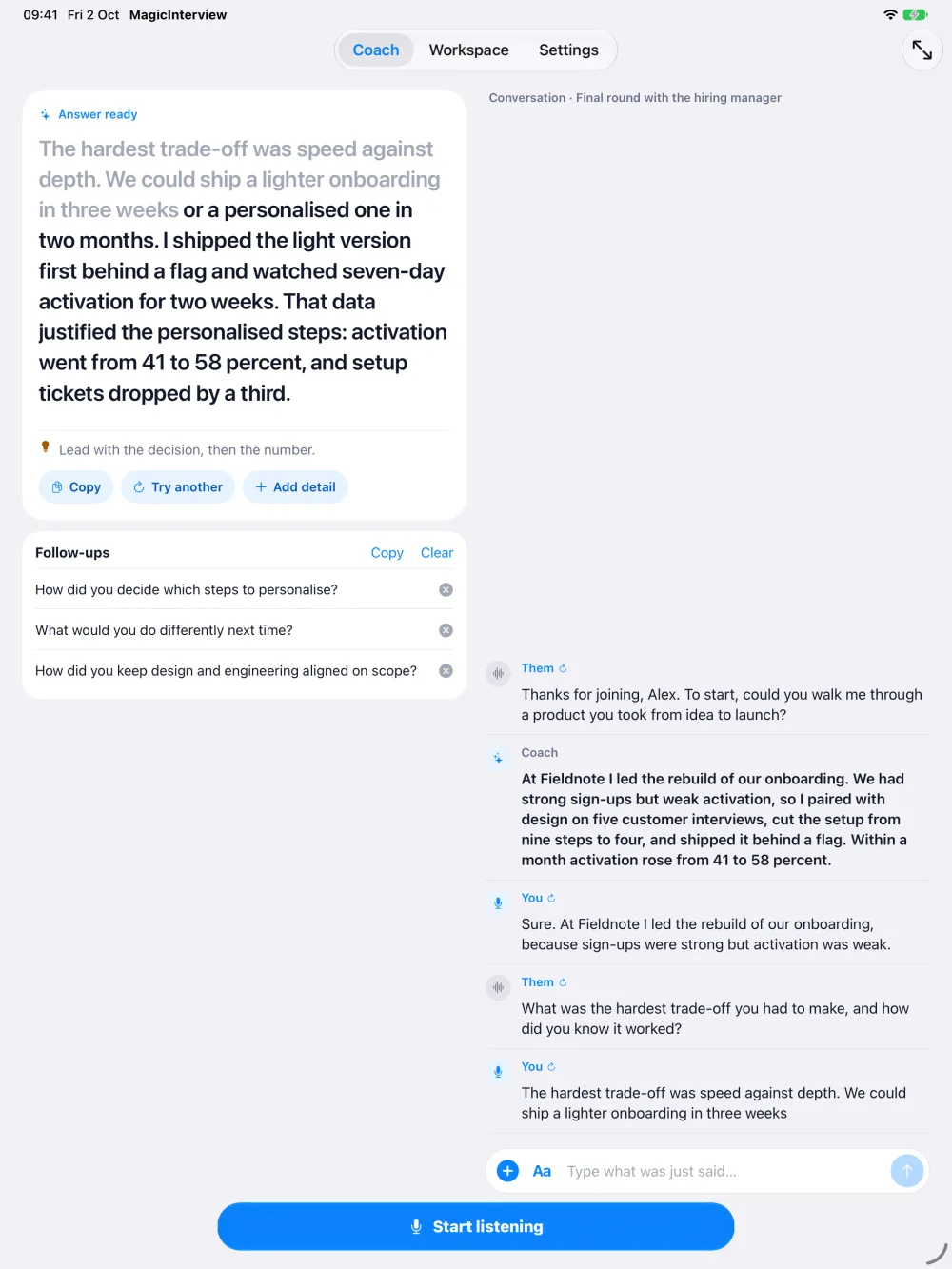
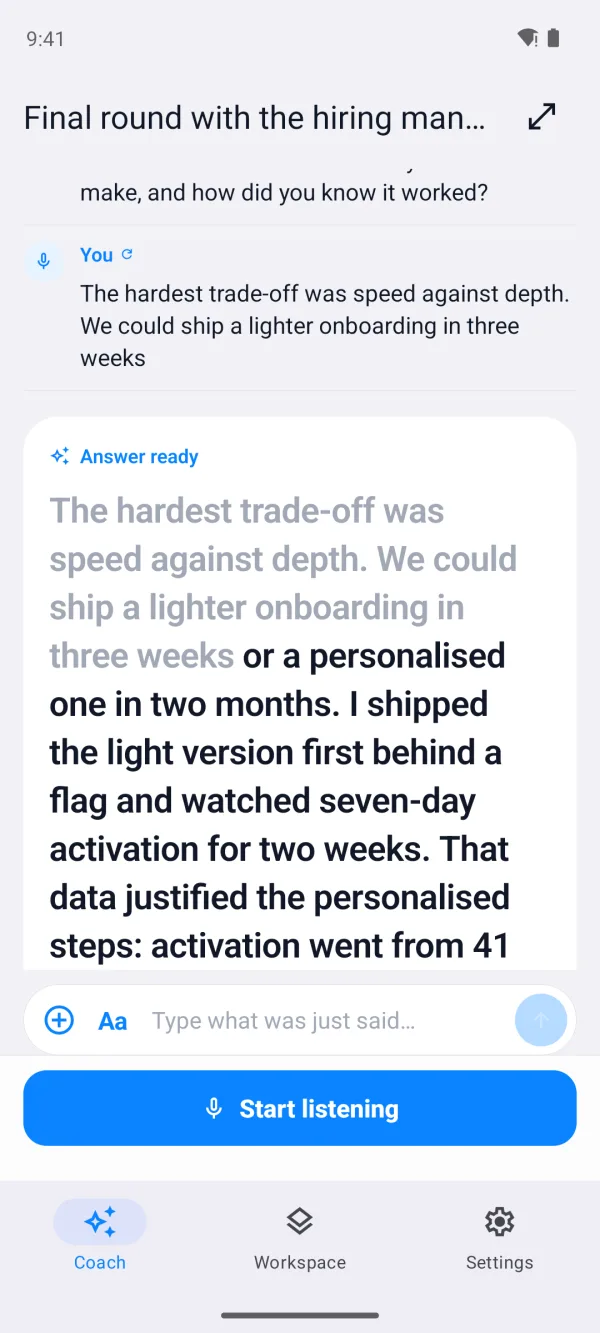
Their question appears as it is spoken. A clear, speakable answer follows, with likely follow-up questions and one tap to try another answer or add more detail.
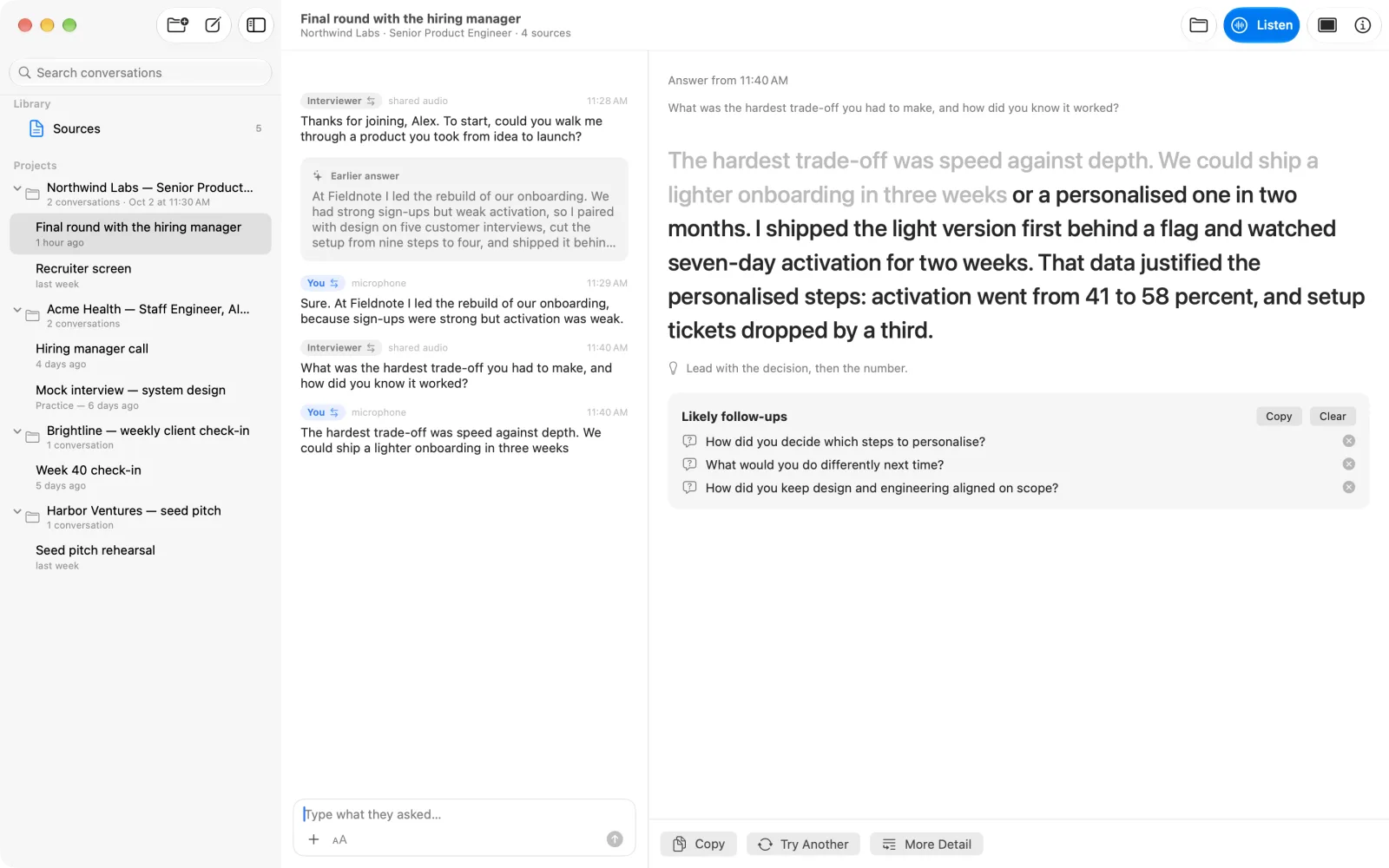
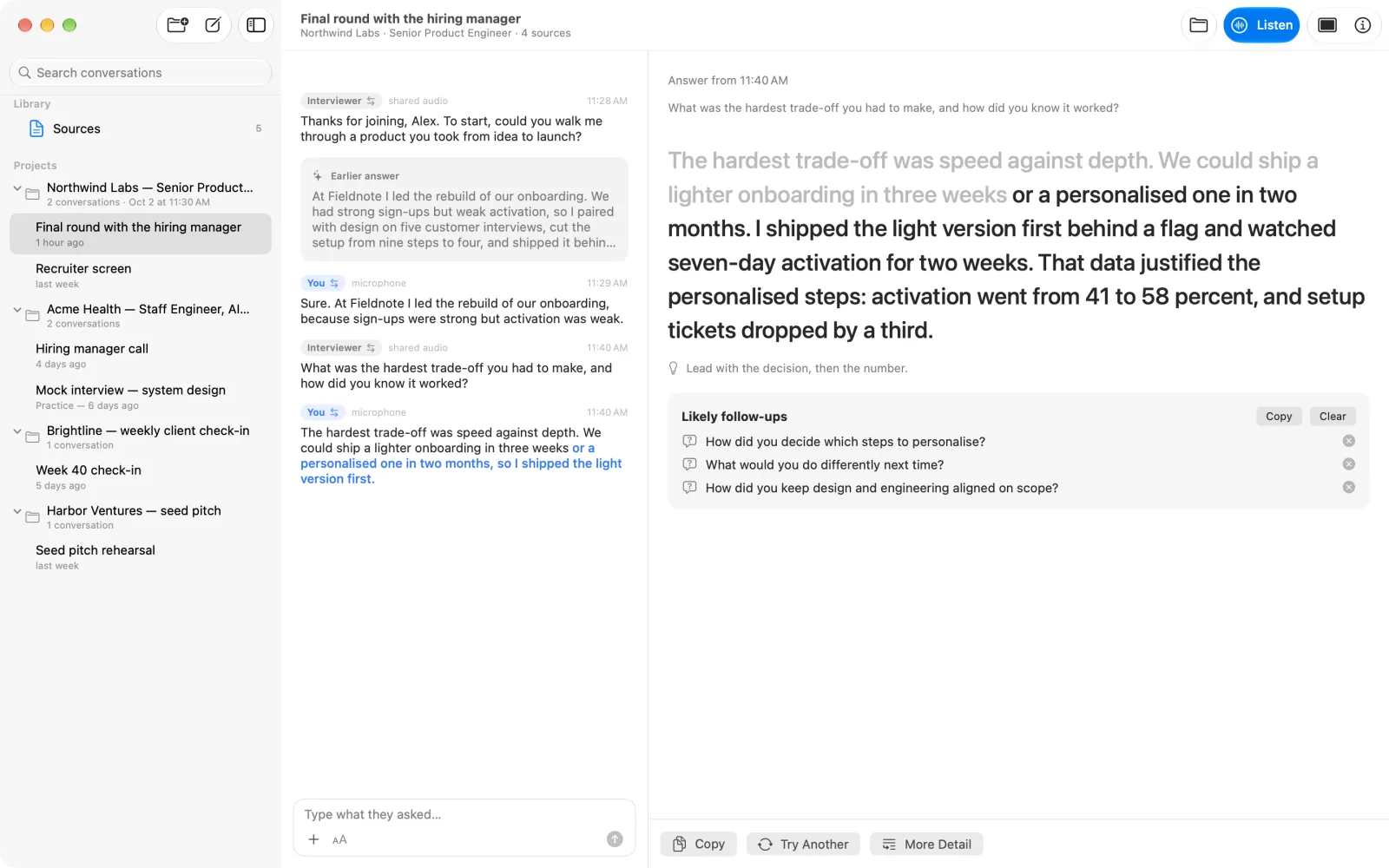
MagicInterview listens as your interview, client call, or meeting unfolds and suggests clear words to say next, grounded in the context you choose.
I've spent six years designing onboarding flows for B2B tools, mostly at early-stage startups.
Tell me about a time you used data to change a decision.
Onboarding completion had stalled at 61%, so I set up tracking to see where people dropped off. One step was losing a third of new users. I proposed removing it, shipped the change, and within a month completion had risen to 78%.
How did you convince the team?
I showed them five recordings of people quitting at that exact step, and then we agreed to test removing it for two weeks, and the results convinced the rest of the company.Continues your sentence
Tell me about a time you used data to change a decision.How did you convince the team?
Onboarding completion had stalled at 61%, so I set up tracking to see where people dropped off. One step was losing a third of new users. I proposed removing it, shipped the change, and within a month completion had risen to 78%.
I showed them five recordings of people quitting at that exact step.
Their question appears as it is spoken. A clear, speakable answer follows, with likely follow-up questions and one tap to try another answer or add more detail.
While you answer, MagicInterview suggests how to continue, right after your own words.
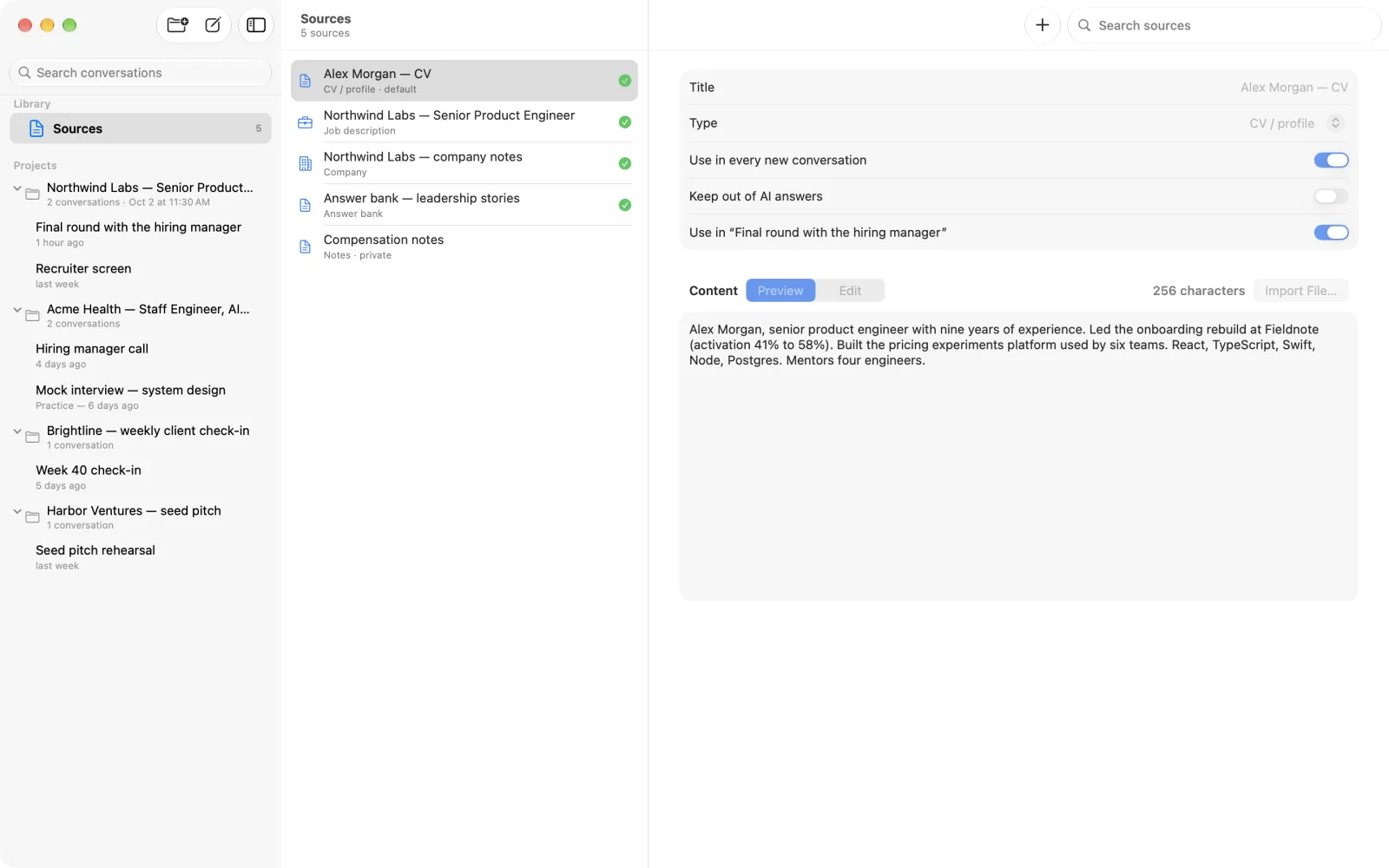
Add a CV and job description for an interview, or a client brief and notes for a sales call. MagicInterview uses the right material to shape each suggestion.
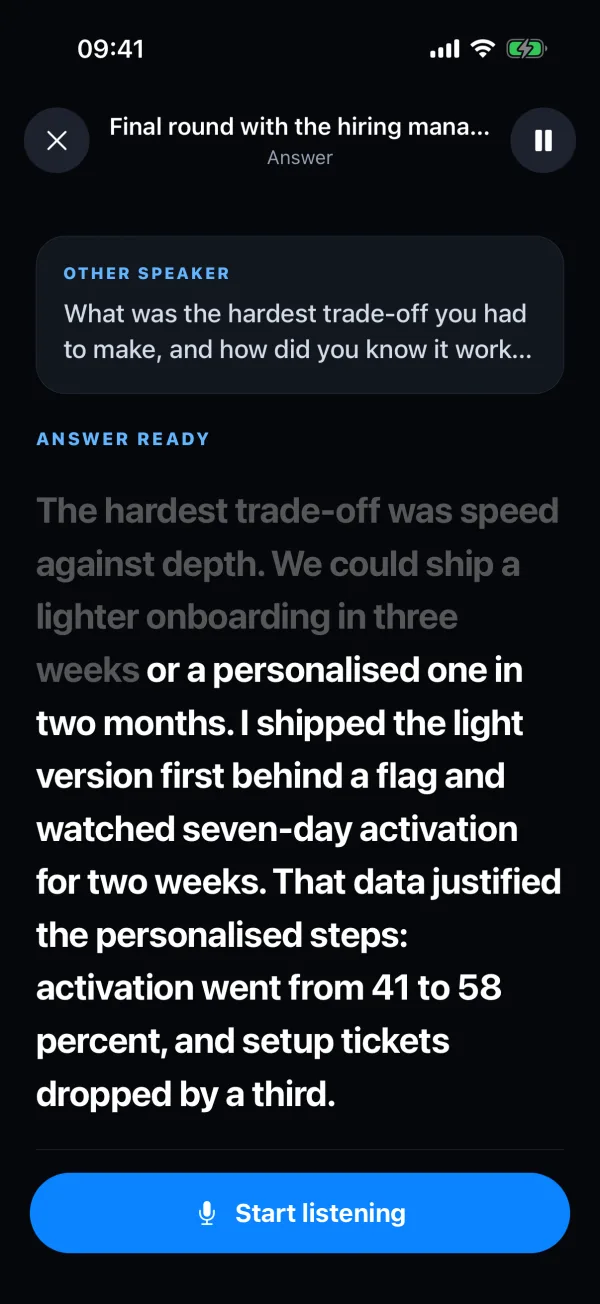
Switch to Focus to see only the question and your answer in large type, on your phone, tablet, or a floating window on your Mac.
Share the browser tab of your Google Meet or any other web call, or let the Mac app capture the call window. Your iPhone can show the same question and answer in large type beside you.
With Pro, Research online reads public web pages about the company and the role, then saves notes with links to your project.
An AI interviewer asks the questions aloud. You answer as you would in the real interview, and every run is saved in your project.
Copy a coding task or a snippet and paste it in. On Apple devices you can copy on your Mac and paste on your iPhone. The answer comes with formatted code and a line you can say.
On supported devices the device's own model writes the answers: Apple Intelligence on iPhone, iPad and Mac, Gemini Nano on Android and in Chrome on a computer. Answers keep coming with no connection.
From sharing the call to the last answer: live answers, research, practice, code and on-device mode.
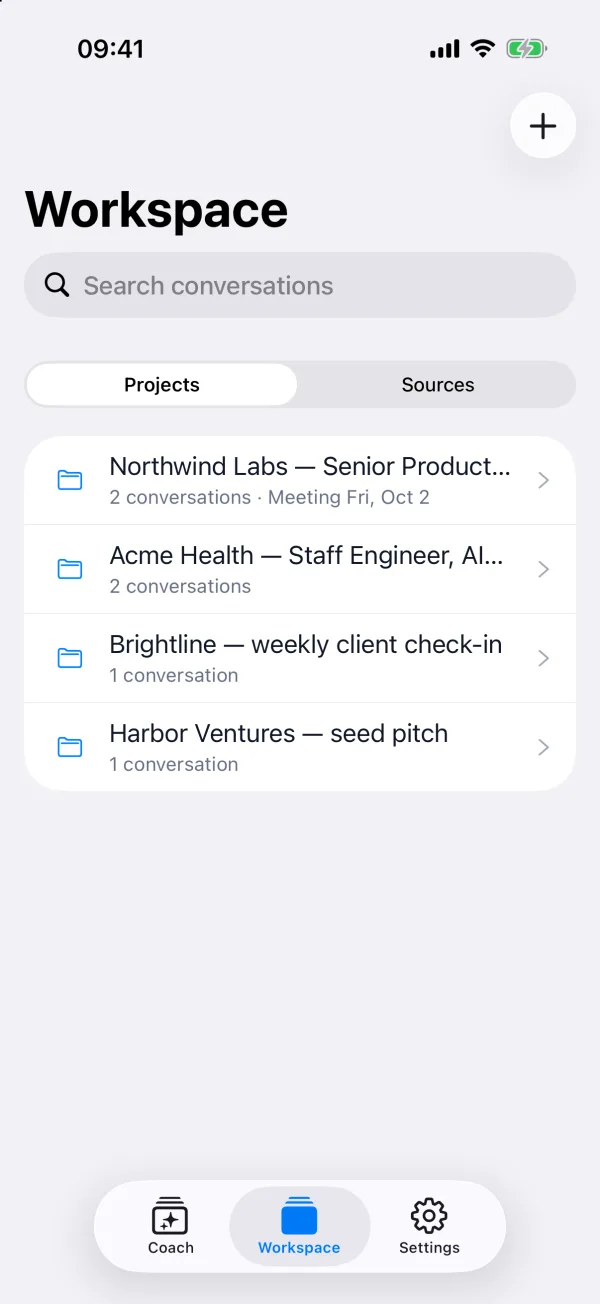
Create a project for the interview or call, then add your CV, the job description, a client brief or your notes.
Start listening with your microphone, or share the call's browser tab so MagicInterview hears the other person too.
Each question appears as it is spoken, with a clear answer to say in your own words and the follow-ups likely to come next.
Pick the one you have coming up.
Use the web app on your computer or phone, or the Android app. On Windows, install the web app from Edge or Chrome and it opens in its own window, like any other app. The iPhone, iPad and Mac apps are coming soon. One account keeps your conversations and sources in sync.
MagicInterview doesn't join your meeting or speak for you. Only you see the suggestions.
Your sources and conversations are kept with your account. Delete any of them, or the whole account, at any time.
Speech can be recognized on your device, and on supported phones and Macs the device's own model can write the answers. Audio from a shared tab is transcribed in the cloud.
It is an app that follows your interview and helps you respond. MagicInterview shows the interviewer's question as it is spoken and suggests a clear answer based on the context you added, such as your CV and the job description.
Yes. In the browser, the web app can listen to a shared tab or screen with its audio, or to your microphone. On Windows, you can also install the web app from Edge or Chrome.
Yes. Use the web app on any phone, or the Android app from Google Play. Focus mode shows only the question and the answer in large type. The iPhone and iPad app is coming soon.
Use it where assistance is allowed. MagicInterview does not join the call, speak for you, or make decisions on your behalf.
Buy a one-month, one-year or lifetime Pro plan in Web Settings, or use a native app store where available. Pro works across devices when you sign in to the same account.
Use it on the web today, install it on Windows, or get the Android app.