Questions answered as they come
When someone asks you something, the question appears as it is spoken and a clear answer follows. One tap tries another answer or adds more detail.
MagicInterview listens as the meeting unfolds and suggests clear words to say next, grounded in the notes and documents you choose. When a question comes your way, an answer is already taking shape.
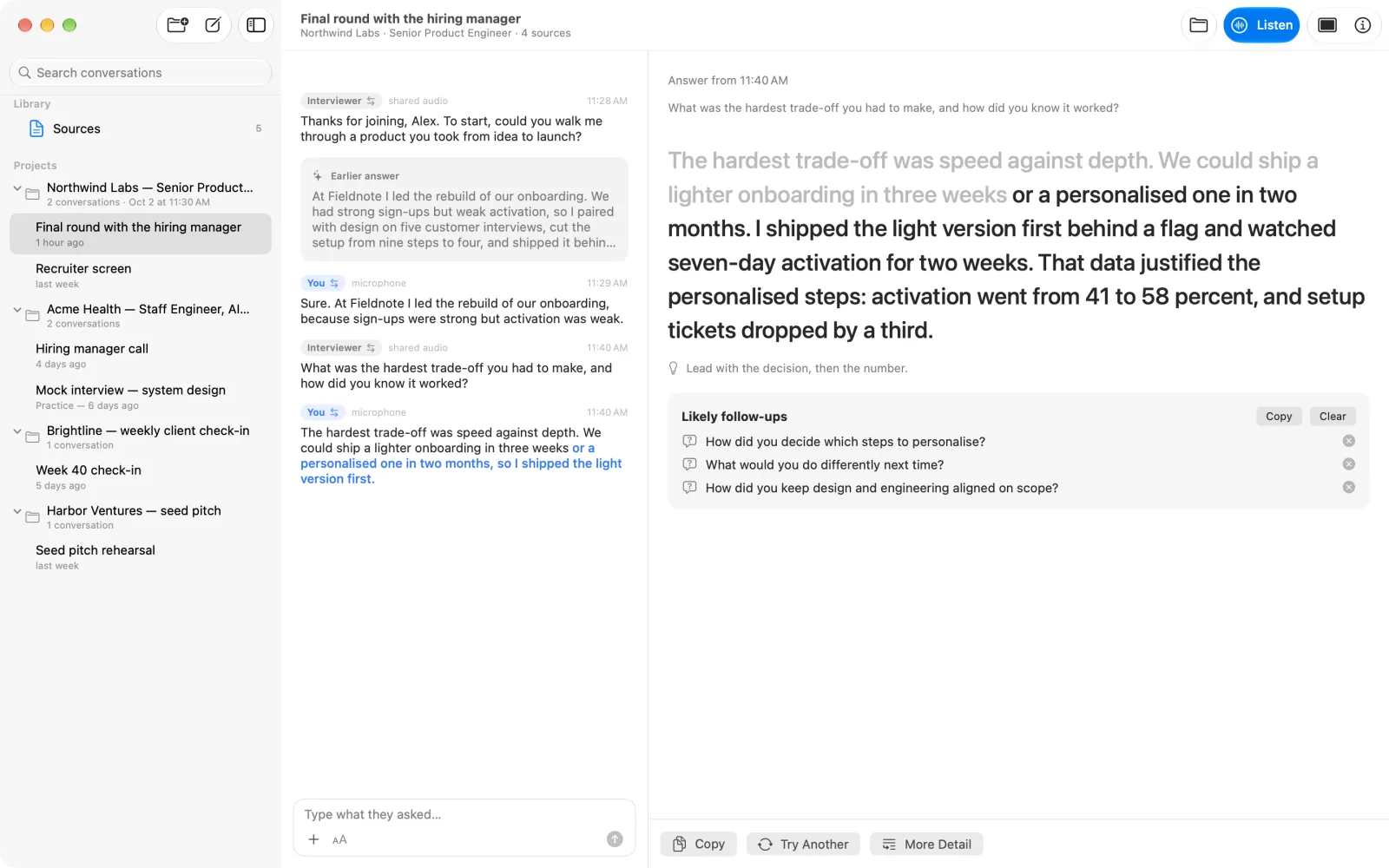
When someone asks you something, the question appears as it is spoken and a clear answer follows. One tap tries another answer or adds more detail.
Add an agenda, a project brief, figures or notes. Suggestions use that material, so you answer with the facts that matter in this meeting.
While you speak, MagicInterview suggests how to continue, right after your own words.
Switch to Focus to see only the question and your answer in large type, on your phone, tablet, or a floating window on your Mac.
It follows the meeting and helps you respond. MagicInterview shows questions as they are spoken and suggests what to say next, based on the context you added.
No. It does not join the call. In the browser, it listens to a shared tab or screen with its audio, or to your microphone.
Documents and notes such as an agenda, a brief, figures, or background on the people you are meeting. Keep them as sources in a project.
Yes. A project keeps the conversations for one meeting together with one brief, its sources and a language, so each meeting builds on the same context.
The web app runs on any computer or phone and installs on Windows from Edge or Chrome. The Android app is on Google Play. The iPhone, iPad and Mac apps are coming soon.
Yes. Answers can be in the conversation's language, and MagicInterview recognizes speech in many languages.
Use it on the web today, install it on Windows, or get the Android app.