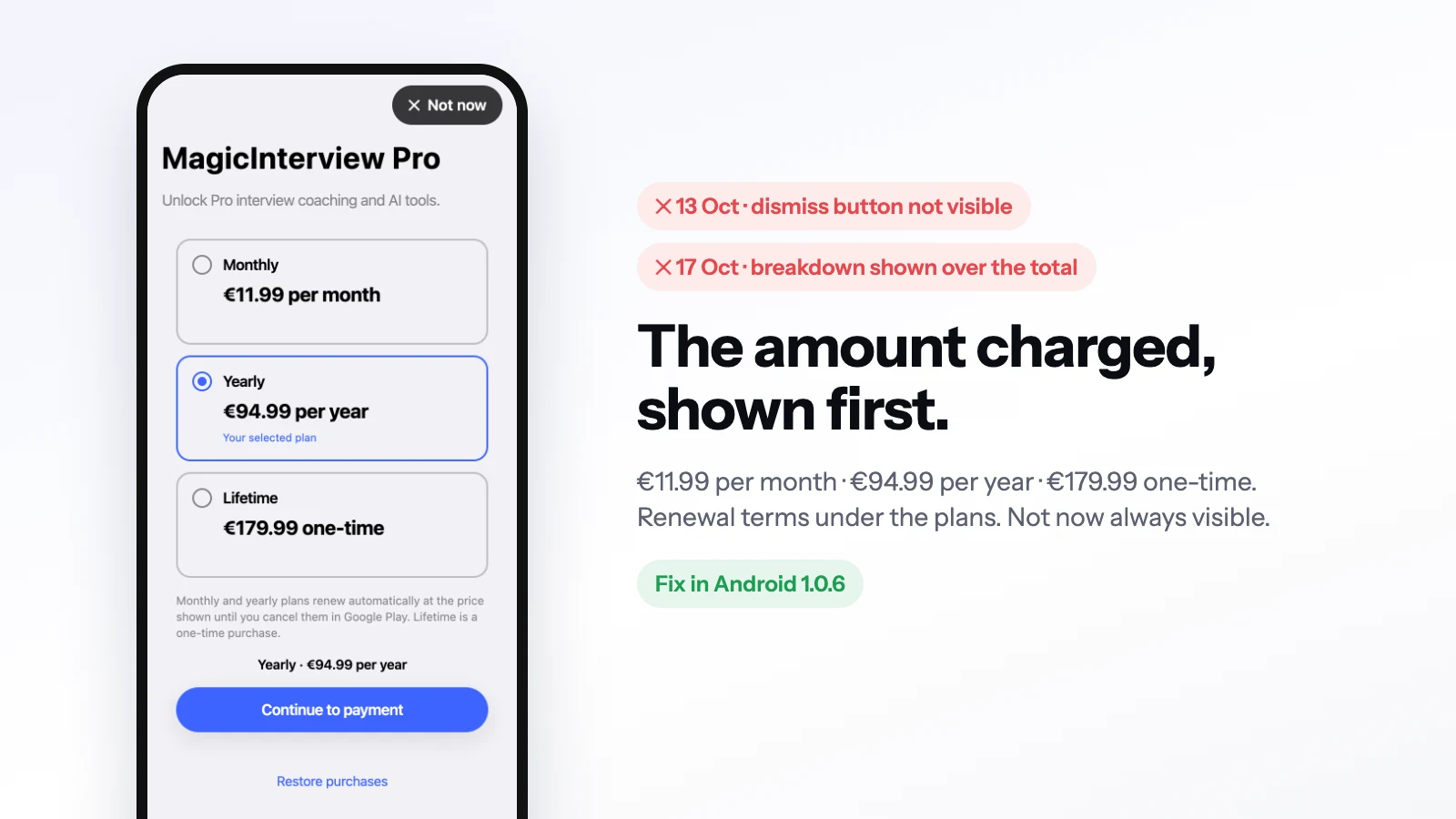
Google Play rejected one MagicInterview update on 13 October and the resubmitted update on 17 October, both for the same screen: the Pro paywall. Each rejection cited the Subscriptions policy, each for a different reason.
This note covers both fixes and the Play submission step that surprised us afterwards.
13 October: a dismiss button nobody could see#
Play's reason was an unclear or invisible dismiss button. On iOS, RevenueCat's paywall opens as a sheet you can swipe down. We had passed displayCloseButton: true and assumed that was enough on Android as well.
It was not. RevenueCat's newer (v2) paywalls ignore that option, so on Android the paywall had no visible way out.
On Android the paywall now opens in a full screen of the app's own, with a dark pill reading "✕ Not now" at the top right. It is always visible, at least 44 points tall, white text on a near-black background, and it closes the paywall. The back gesture closes it too. iOS keeps RevenueCat's sheet.
<Modal visible animationType="slide" presentationStyle="fullScreen" onRequestClose={close}>
  <View style={styles.paywall}>
    {/* the plans */}
    <Pressable accessibilityRole="button" accessibilityLabel={t("notNow")} onPress={close} style={styles.close}>
      <Text style={styles.closeText}>{"✕  "}{t("notNow")}</Text>
    </Pressable>
  </View>
</Modal>
The lesson for us was to stop relying on an option that a vendor's template is free to ignore. If a policy requires something to be visible, draw it yourself.
17 October: the smaller number looked like the price#
The second rejection was about prices. The yearly plan's per-month breakdown was shown more prominently than the amount actually charged. Rather than work around RevenueCat's paywall template, Android now lists the plans itself. Each plan shows the total for its period, taken from Google Play's own price strings:
- Monthly: EUR 11.99 per month
- Yearly: EUR 94.99 per year
- Lifetime: EUR 179.99 one-time
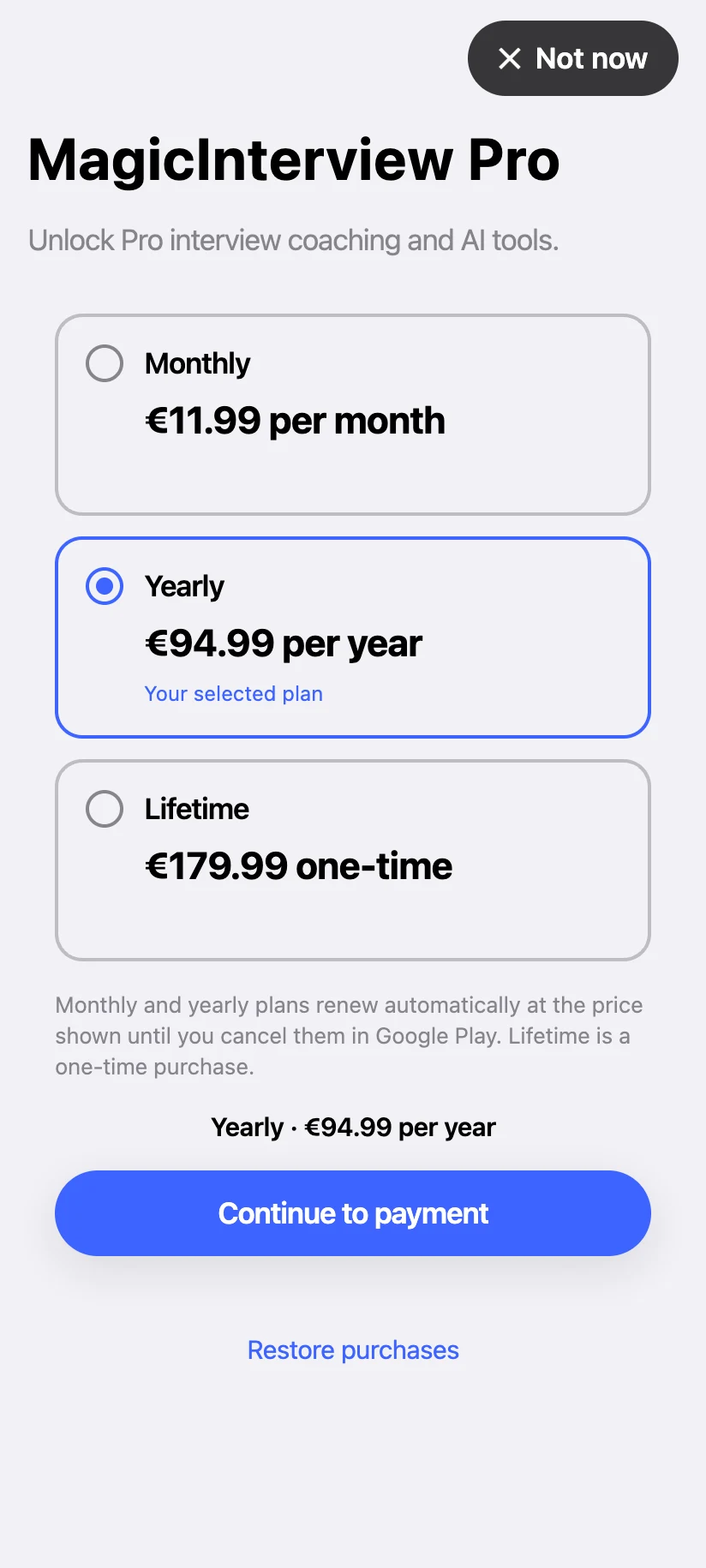 The new Android Pro screen, rendered from the app's code with the euro prices set in Google Play.
The yearly plan no longer shows a per-month breakdown. The renewal terms sit directly under the plans, Not now stays pinned at the top right, and Restore purchases is on the same screen. Purchases still go through RevenueCat; only the screen is ours. iOS keeps RevenueCat's template. The screen is translated into all nine languages the app supports.
const price = item.product.priceString; // the store's own price string
The price comes from the store's own string, not from our formatting.
Committed is not submitted#
Committing an edit through Google Play's publishing API can return the error "Changes cannot be sent for review automatically." The route has two steps:
- Commit the edit with the
changesNotSentForReviewparameter set totrue. - In Play Console, choose "Send changes for review".
Until then, nothing is in review.
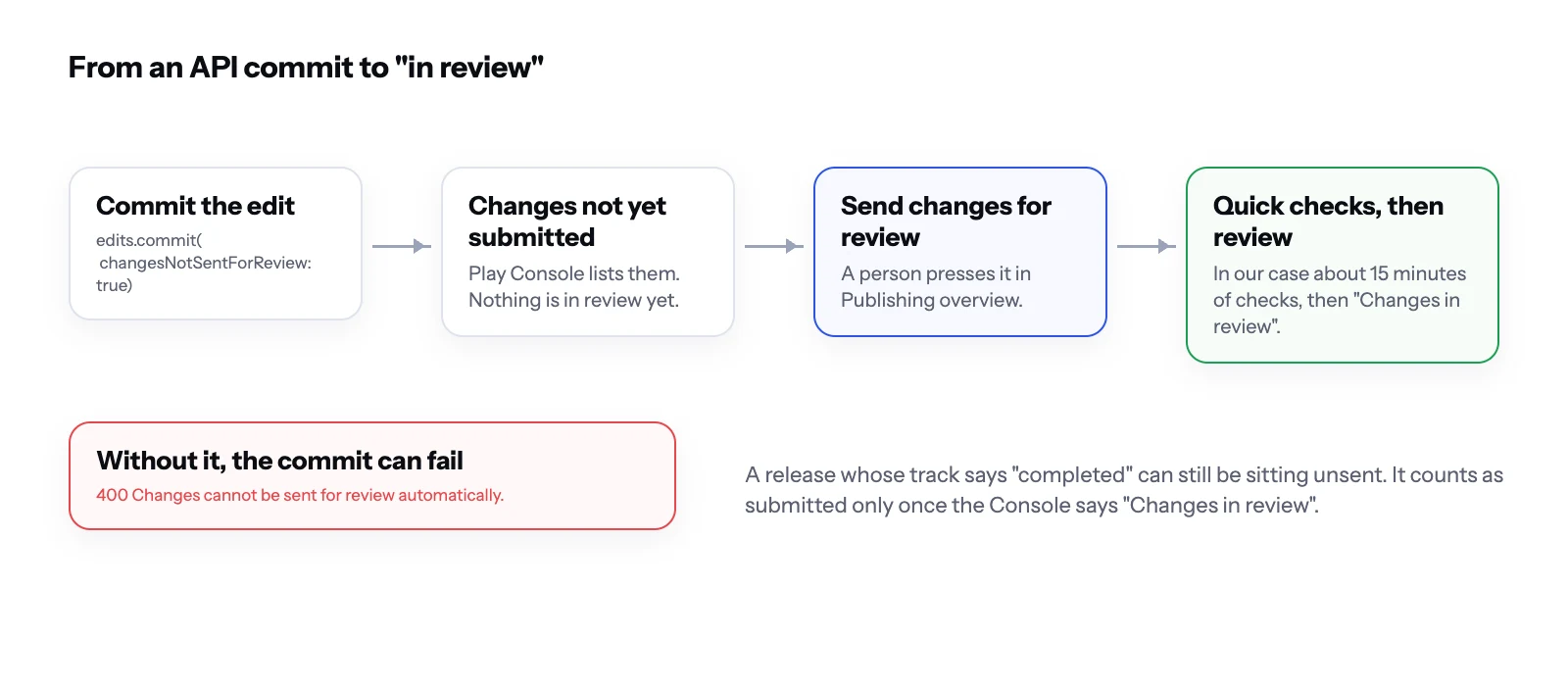 From an API commit to "in review".
What we would tell another team#
- Draw required controls yourself on Android. Do not depend on a template honouring an option.
- Show the amount charged first for every plan. Leave breakdowns out of the paywall.
- Take prices from the store's own strings.
- Count a release as submitted only when the store shows it in review.