iPhone Duo folds like a book. Closed, it is a portrait phone with a 5.4-inch outer display. Open, it is a landscape 7.6-inch display with the fold down the middle. We ran the current MagicInterview app on the iPhone Duo simulator in Xcode 27.1 and looked at seven screens: Coach, the full-screen Answer, Listen, Prepare, Workspace, a project and a source.
Two things were wrong, and neither needed a new layout. This note covers what we found, what we changed and what we left for later.
What iPhone Duo changes for an app#
- Two sizes. In the simulator the outer display is 466 × 678 points and the inner display is 951 × 669 points. Apple's guidance is to design one compact layout and one regular layout, not one layout per posture.
- Bars on the side. Built with the iOS 27.1 SDK, the status bar and the tab bar run down the trailing edge of the screen, except on the inner display held in portrait. The safe area is no longer symmetric: on the Duo it has a right inset of about 76 points.
- A fold you can read. iOS 27.1 reports the fold as a reserved region. When the phone is fully open the region is inactive. When it is partly folded like a book the region is active, and controls should stay off it.
What we found#
Closed, content ran under the side column. On the outer display the Coach answer and the keyboard button sat under the tab bar, and Prepare's send button was hidden. Workspace's Projects and Sources switch and a project's details ran under the status bar. The CV preview inside a source was clipped at both edges: text hosted inside a grouped list was laid out wider than the list's rows.
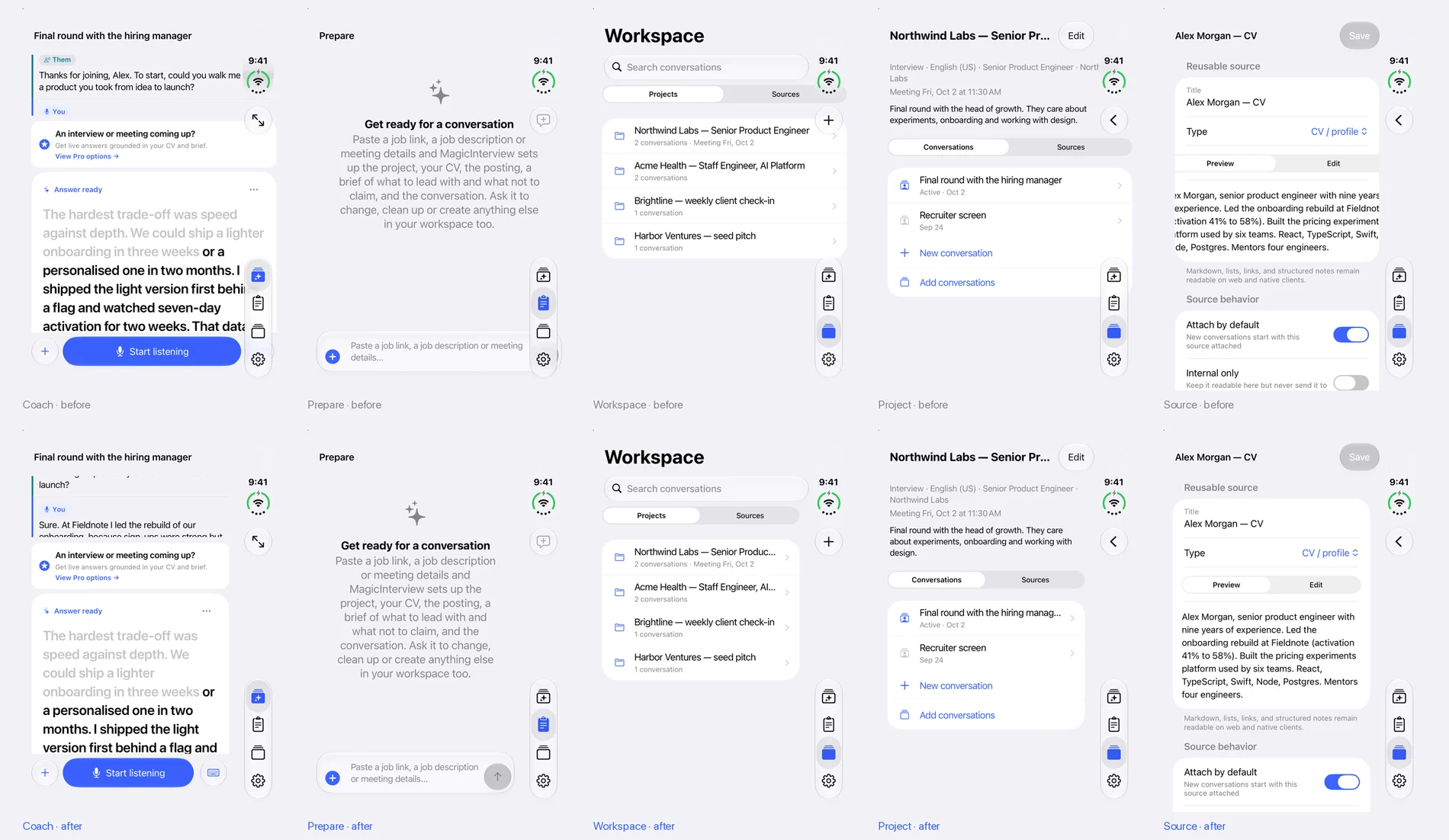 Captured on the iPhone Duo simulator, outer display. Top row before the fix, bottom row after.
Open, panes ignored the fold. On the inner display Coach already switches to columns, with the conversation on the left and the answer on the right. But the conversation column was sized as a share of the width, about a third, so the answer card started before the fold and ran across it.
What we changed#
Every tab screen keeps clear of the side bars. The tab stacks now pad their screens by the left and right safe-area insets, and the screen background still runs underneath the bars. Because the screen itself has moved in, everything inside it, including native lists and the text they host, sees a width that fits. On other iPhones held in portrait the insets are zero and nothing changes.
// …
const { left, right } = useSafeAreaInsets();
// Native stacks inside the tabs: content clear of side bars, background underneath.
contentStyle: { backgroundColor, paddingLeft: left, paddingRight: right },
Columns meet at the fold. On an iPhone whose window is at least 700 points wide and 600 points tall, which in practice means an unfolded iPhone Duo, Coach sizes the conversation column to end exactly at the middle of the screen. Workspace does the same with its list, so each half can read on its own when the phone is partly folded.
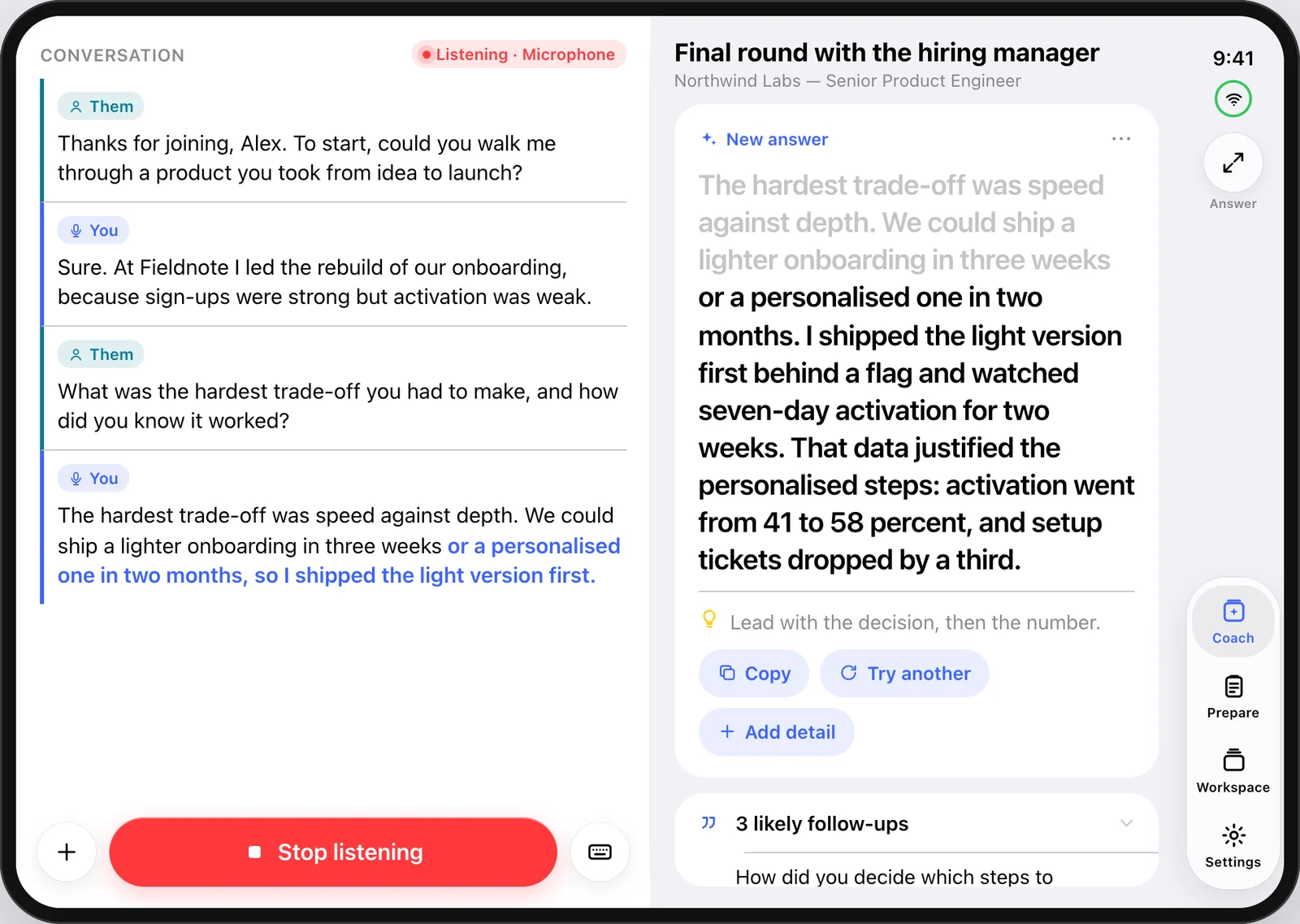 After, as designed: the conversation and the listening button before the fold, the answer after it, the side column on the right.
The rule we nearly broke#
Our first version put the answer on the left of the fold and the conversation on the right. It read well on its own, but nowhere else in MagicInterview does the answer sit on the left: the Mac, the web app and the iPad all keep the conversation on the left and the answer on the right. Someone who moves from the Mac to the phone would find the answer on the wrong side.
We changed it back before release, and wrote the rule down: an adaptation may resize panes, but never reorder them. The same check turned up smaller differences between the Mac and the other apps, and we fixed those too. Mac 1.0.7 says Start Listening, Add Detail and Reading & Display like the other apps, and shows the other speaker as Them in the same colour.
What we left for later#
- The real fold position. The midpoint is a good guess for the Duo today. Apple's reserved-region API reports the fold itself, and we plan to use it.
- Set down like a laptop. Held in portrait and half folded, the upper half stands and the lower half lies flat. The natural layout puts the answer you read on the standing half and Stop listening on the flat half.
- The Answer view as two pages. On the open display the question and its cue can sit on the left page and the answer on the right, matching the rest of the app.
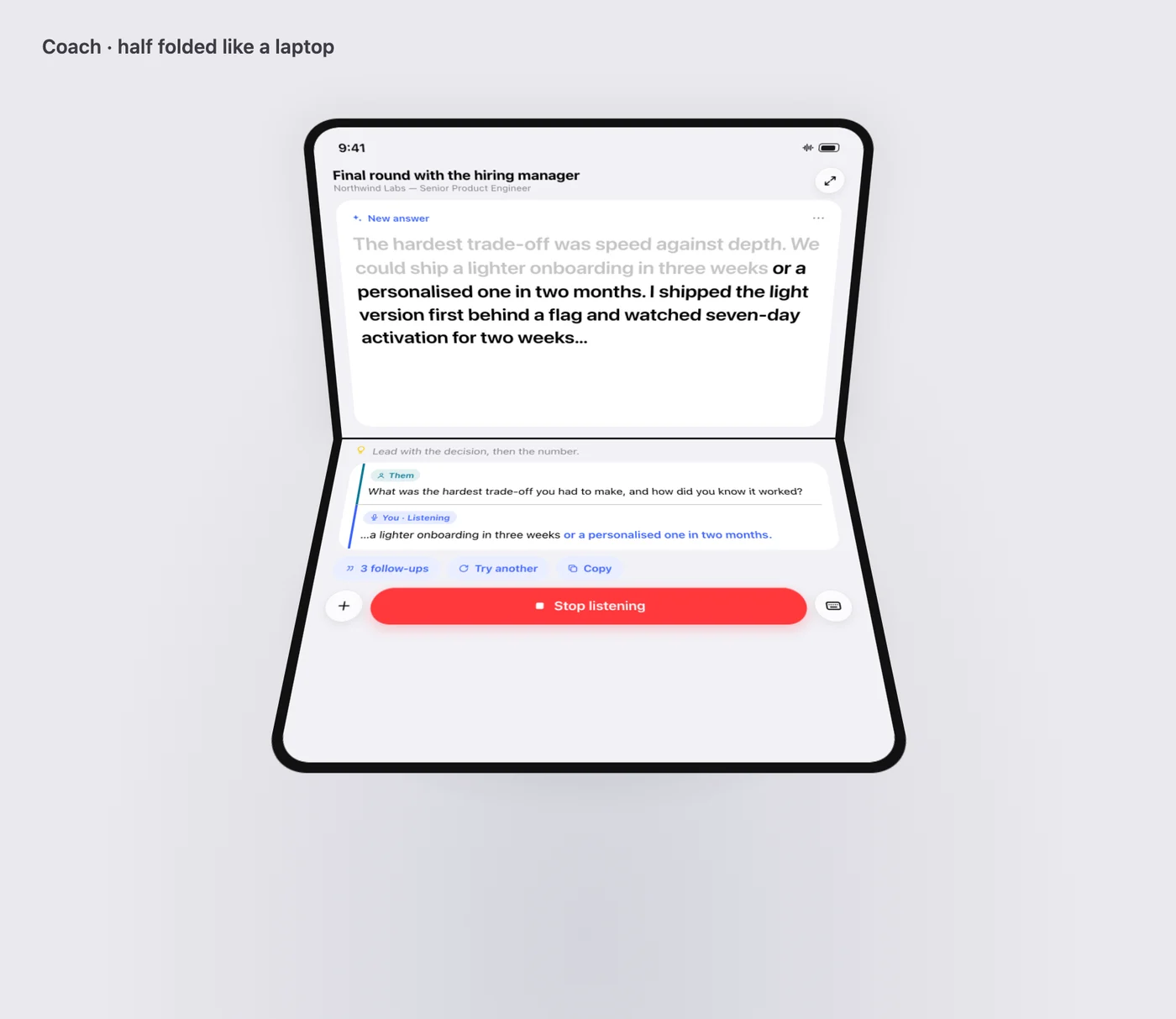 A layout we have designed but not built: Coach set down like a laptop.
The side-bar and fold fixes are in the iPhone and Android builds we submitted to App Review and Google Play review on 20 October 2026. The Mac's matching labels are in Mac 1.0.7, also submitted that day. None of these has been released yet. The web app uses the same code; a browser window has no side insets and no fold, so nothing changes there.