Compare each material claim in an answer with your own notes or records. Mark unsupported details for revision before you practice saying the answer aloud.
Tool
Check the evidence behind an answer
Review an interview answer against your own evidence and identify claims that need support.
Free worksheet
0 of 1 rows documentedCheck your claims
Write each claim you may use in an answer. Match it to a source and a reference you can find again. “Documented” means the row is filled in; review the source to confirm the claim.
Your worksheet
Updates as you typeLive output
Answer evidence checklist
Use this worksheet to check whether each claim has a traceable source. A complete row does not verify that the claim is true.
1. Untitled claim
- Worksheet status: To start
- Source: [Add the source]
- Specific reference: [Add a document, link, date, or record]
- What it shows: [Explain what the source actually supports]
- To complete: Write the exact claim you want to make.
- To complete: Name where the evidence comes from.
- To complete: Add a specific document, link, date, or record you can find again.
See a fictional example
Example: I led a team handoff
- Worksheet status: Documented
- Source: Shared handoff checklist
- Specific reference: Checklist revision and handoff log
- What it shows: The checklist names my ownership of the workflow change.
A filled row is a preparation aid; review the original source before using a claim.
Want to practise with this material? Copy or download it, then open the workspace and bring it into your preparation.
Keep your next answer in view
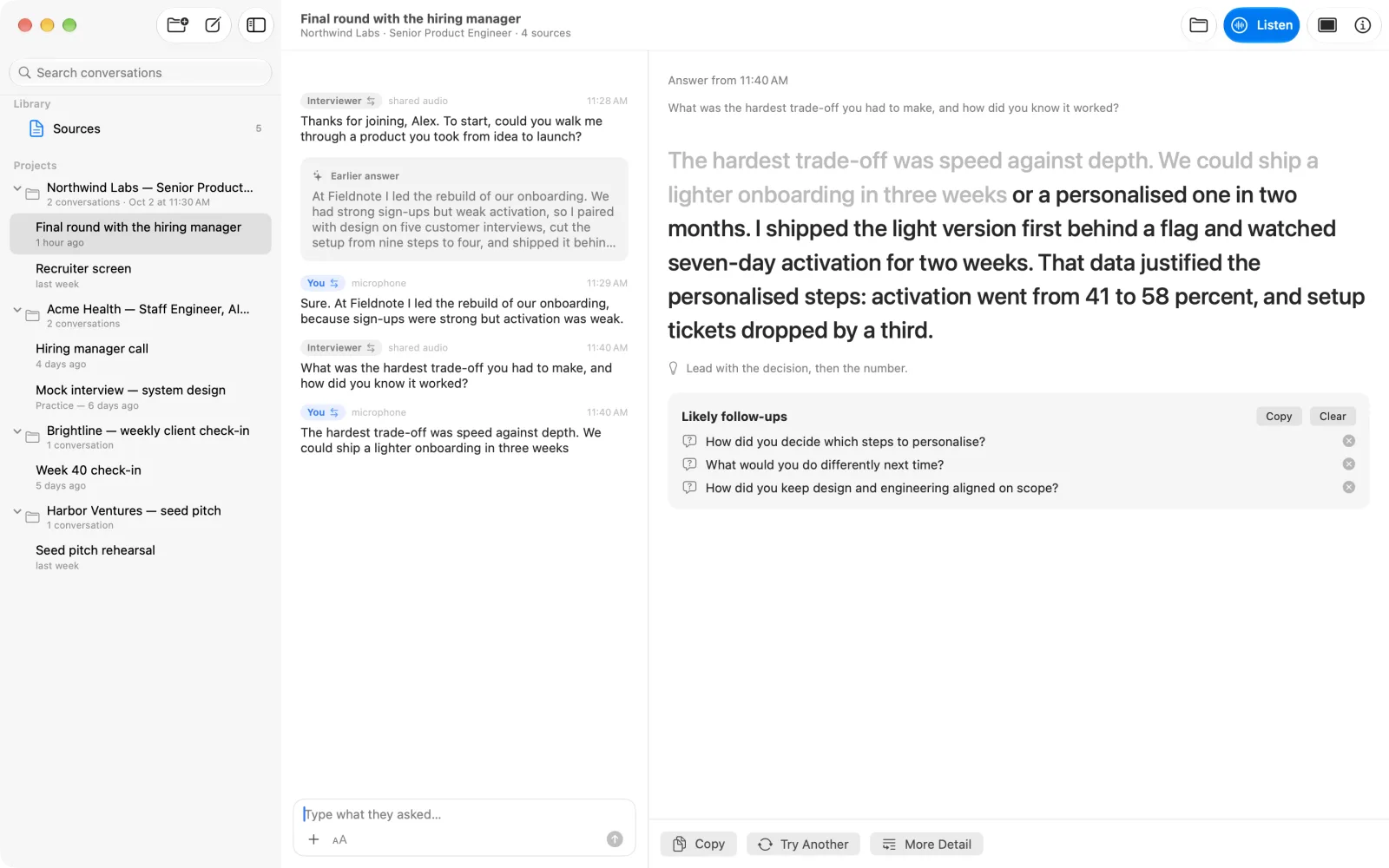
Live help with Pro
Bring your context. Get words to say live.
Pro recognizes the conversation and uses your CV, job description or meeting brief to suggest what to say in real time. Start listening once for automatic live suggestions. With the Mac app, follow the answers on a synced phone while you share your computer screen.
- 1. Choose Pro for live answersGet real-time suggestions during your interview or meeting.
- 2. Add your own contextCreate a free account to save your CV, job description or meeting brief.
- 3. Start listening during your callKeep suggested words in view while the conversation continues.
€49.99 for 48 hours of ProOne payment. No automatic renewal.
Create an account or sign in, then review the price before paying. Creating an account is free and does not charge you. Store plans have their own prices and renewal terms.
Try the free preparation preview