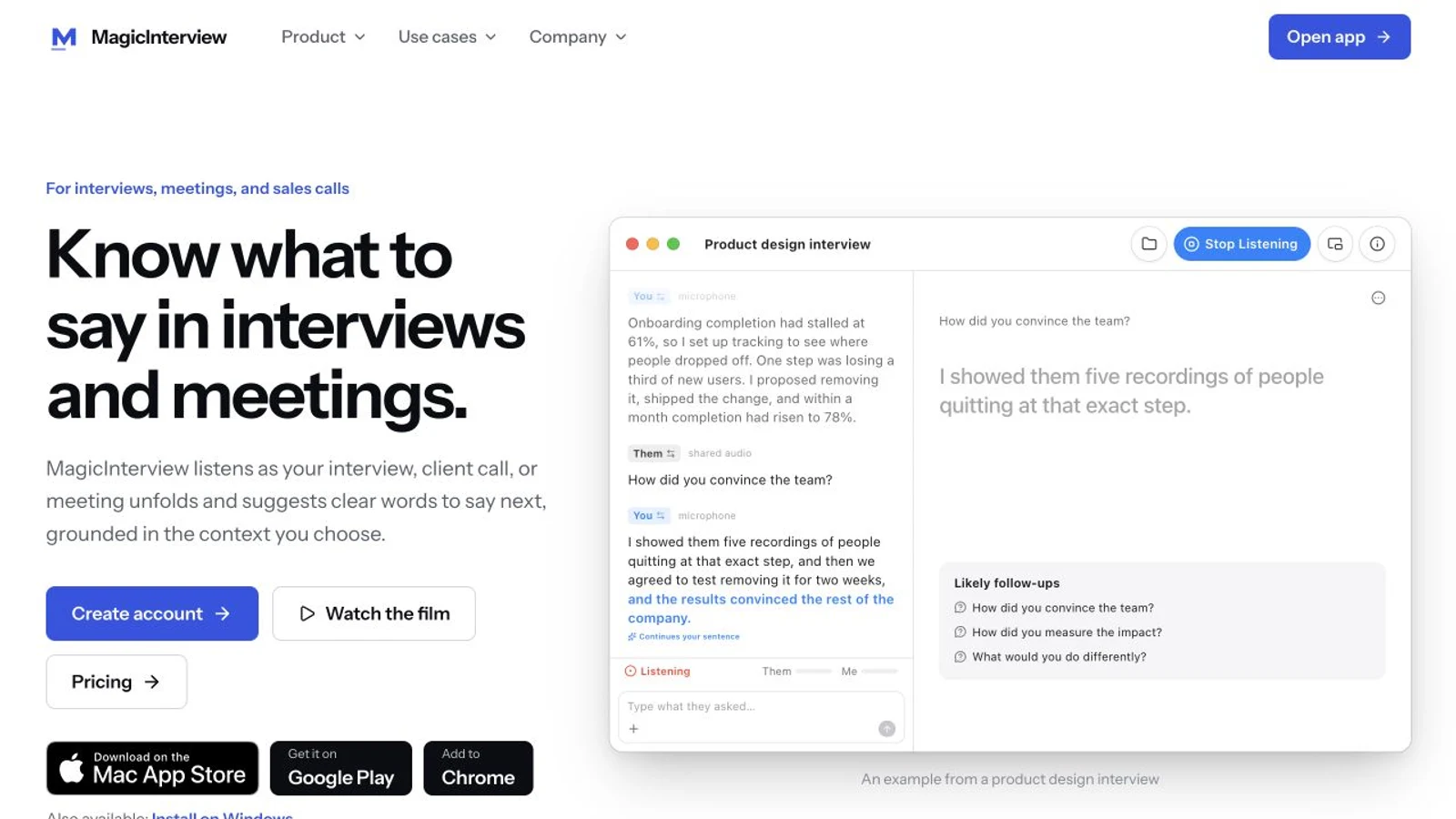
When a real interview or client meeting starts, MagicInterview is your live AI answer helper: it recognizes the conversation, uses your CV, the company, job description and client context, and shows clear words to respond with while you are still speaking together. You can keep that help beside the call on your computer, in a browser or on a synchronized phone. Below, we show how to set up that live workflow as well as how to choose the work itself.
You can earn money online by helping improve AI, doing useful work for clients, or participating in paid research. The difficult part is choosing work you can actually do, passing the relevant checks, and reaching a project that has paid tasks available.
This guide compares micro1, Mercor, DataAnnotation, Outlier, Upwork and Prolific. It explains where to start without coding, what an AI interview asks, and how approved work becomes money you can withdraw.
The quickest useful first step: choose one kind of work that matches a skill you can demonstrate. Read a current opportunity's location and assessment requirements. Keep the role, your CV and real examples together, so you can use them in the application and in a relevant live conversation.
Platform information and screenshots checked on 26 October 2026. Published by MagicInterview, the context-aware live answer helper for interviews, meetings and client calls. Platform comparisons use the official sources linked beside each claim; payment policies are not a guarantee of individual earnings. Screenshots show public pages and an explicitly labelled product example, not personal income or acceptance.
On this page#
- Choose your starting route
- Compare six platforms
- What each platform actually involves
- I cannot code: what can I offer?
- How to prepare for Zara and other AI interviews
- Get live answers with MagicInterview during the conversation
- From your first application to your first payment
- Will the money really arrive?
- Your first seven days
- Frequently asked questions
Choose your starting route#
There are three different activities in this guide. Treating them as interchangeable makes the process much more confusing.
AI training and evaluation: you judge, improve or create material used to train AI. The work may involve writing a better answer, checking a factual claim, comparing two responses, or applying professional knowledge. micro1, Mercor, DataAnnotation and Outlier operate in this area. Getting approved does not mean a continuous supply of tasks.
Freelancing for clients: you sell a useful result, such as organizing a spreadsheet, handling support messages or testing a website. Upwork is a marketplace: you must find a client and agree the job, rather than simply unlock a task queue.
Paid research participation: you answer studies for which you are eligible. Prolific is a different kind of starting point, useful to consider for smaller, irregular earnings rather than a promised full-time income.
| If this describes you | A sensible first route | Your first concrete action |
|---|---|---|
| You write clearly and can explain why an answer is better | Generalist AI evaluation | Compare a current DataAnnotation, Outlier or Mercor generalist opportunity with your country and language |
| You know a profession or subject well | Domain-expert AI work | Search micro1 and Mercor for the actual subject you can demonstrate |
| You can deliver an administrative, language or customer-service task | Client freelancing | Define one small service and inspect matching Upwork jobs |
| You want a smaller, occasional starting point | Paid research | Check Prolific's supported countries and join its participant process |
| You lose your words when a question arrives in a live conversation | Context-aware live answer help | Open MagicInterview, add your CV and role, and set up listening for a conversation where assistance is allowed |
This is a decision aid, not a ranking by expected income. Choose a primary route and one backup. Six unfinished profiles are usually less useful than one relevant application you understand.
Compare six platforms#
| Platform | What you may do | What comes before paid work | What to verify first |
|---|---|---|---|
| micro1 | Domain-expert evaluation, annotation and other AI projects | Application, skill certification, matching and project onboarding | Role requirements, residence restrictions, contract and actual task access |
| Mercor | Generalist reasoning or specialist AI work | Profile, relevant assessments/interview, project selection and onboarding | Whether the page is an open job or a standing talent network |
| DataAnnotation | Compare AI answers, write, evaluate and undertake specialist work | Appropriate Starter Assessment and acceptance | Current country availability and the correct qualification track |
| Outlier | Generate prompts, rank or improve responses and other expert tasks | Identity/skill checks, onboarding and project qualification | Your role's allowed locations, rate and task availability |
| Upwork | Services you agree with a client | A suitable profile, proposals, client selection and a contract | Deliverables, proposal costs, contract fee and payment protection requirements |
| Prolific | Eligible research studies and some AI-related research tasks | Waitlist/invitation, verification, profile and study eligibility | Supported country, study reward, approval and cashout eligibility |
An advertised rate is a price for eligible work, not a promise that those hours will be available. A research study's effective hourly rate is not an offer of an eight-hour shift. A talent-network application is not a contract.
What each platform actually involves#
micro1: start with a skill you can demonstrate#
micro1's expert site describes opportunities across fields including finance, healthcare, legal work and engineering. Its process includes applying, validating skills, and matching to relevant projects. Its own FAQ explicitly says certification does not guarantee immediate placement. Read the expert information and then the actual opportunity, rather than assuming every opening is a software job.
 Real public screenshot, 26 October 2026: micro1's expert entry page. This is an application entry point, not proof of a job offer.
The spoken AI interviewer is called Zara. micro1 describes role and scenario questions; some tracks add data exercises, while technical roles can add coding challenges. Its candidate library describes roughly 20–40 minutes, depending on the skills evaluated. Use the interview guide and candidate introduction for preparation, then follow the instructions attached to your assessment.
For payment, micro1 documents several contract structures: approved tracked hours, approved-task-based calculations, or a flat amount for an approved task. These are materially different. A rejected flat-fee submission can be unpaid; time spent browsing the platform is not automatically billable. See its payout structures.
First move: identify one relevant opportunity, save its requirements and explain out loud how you have used those skills. If selected, obtain the project's actual work and time-recording instructions before starting a timer.
Mercor: distinguish an opportunity from a talent network#
Mercor lists both specialist and generalist work. A generalist role can involve careful reading, writing prompts or reference answers, and assessing reasoning. That still requires judgement and clear explanations; it is not simply clicking through easy questions.
During our check, an older UK/Europe generalist job link said the original role was no longer accepting applications and displayed a standing Generalist Expert talent network instead. The replacement says most contracts have paid $40–$70 per hour and that matching can take weeks or months. Those are historical contract figures and a matching pool, not a current guaranteed offer at that rate.
Mercor's AI interview documentation describes interviews generally lasting around 20 minutes, usually in English unless the listing says otherwise, with a desktop camera and microphone and sometimes screen sharing. It provides free practice. Its documented retake route allows up to three retakes across applications using that interview, considers the latest result and resets application progress. Read the current instructions before choosing a retake.
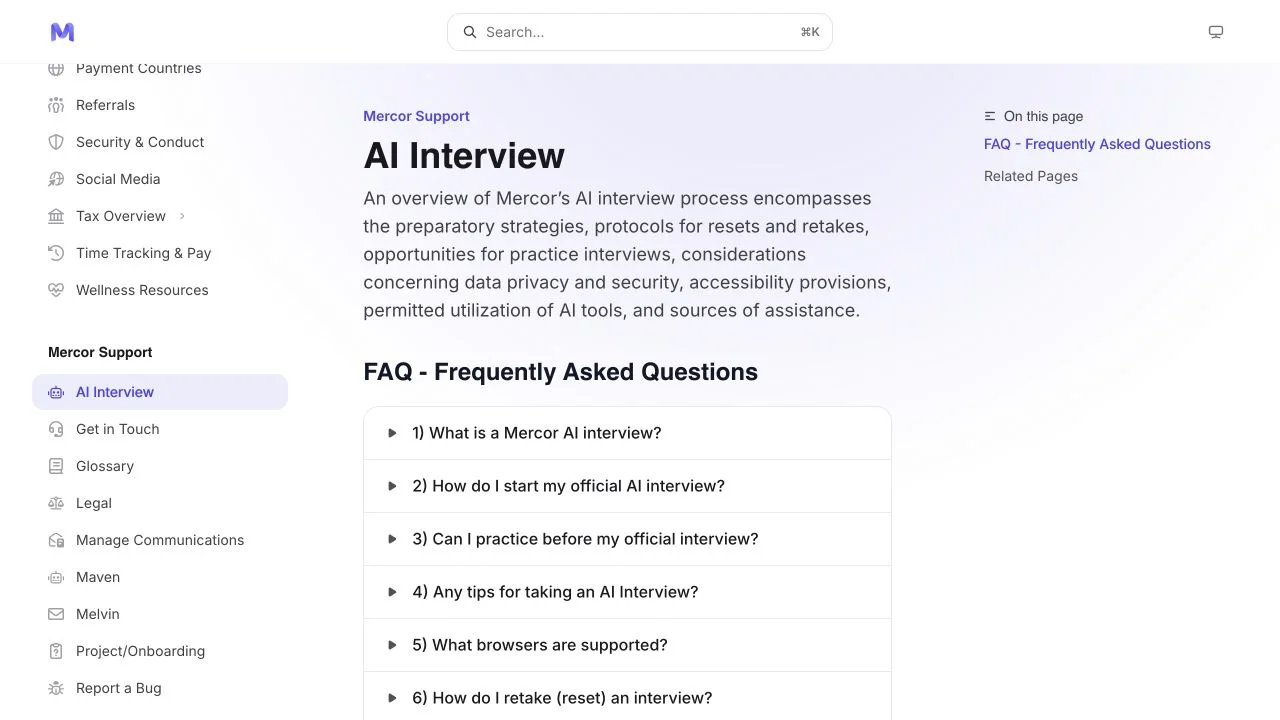 Real public screenshot, 26 October 2026: Mercor's AI interview guidance. Practising the format and accepting paid work are separate steps.
First move: inspect Explore, confirm your country against the supported-country policy, and check the live page's application status. Do not rely on a search engine's older salary snippet.
DataAnnotation: coding is one track, not every track#
DataAnnotation's official FAQ describes general work involving chatbot-response evaluation, comparisons and image testing. It also offers coding and other specialist tracks. The general track calls for strong English, writing and reasoning, with a bachelor's degree or equivalent experience. Choose the assessment matching your actual skills.
Its FAQ currently advertises $25–$50 per hour for general projects. That is the platform's published range, not a personally verified offer or a prediction of your earnings. Application review, qualification and available work remain separate. We could not establish a complete current accepted-country list from the public FAQ; check the actual application process before investing time in a particular track. See the official FAQ.
The Starter Assessment is generally about an hour and is described as a one-attempt assessment. Give yourself uninterrupted time, read carefully, and use only the resources the assessment permits. A submitted application or a quiet dashboard does not establish acceptance.
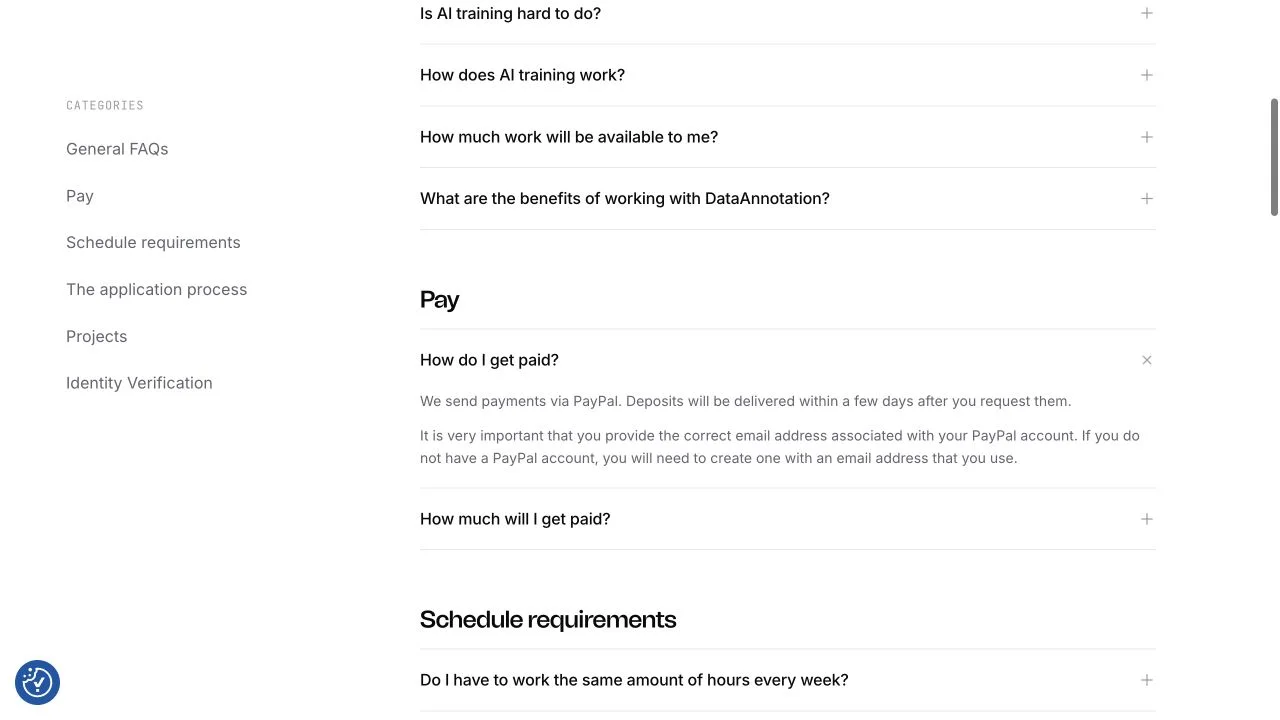 Real public screenshot, 26 October 2026: DataAnnotation's payment FAQ. Published withdrawal instructions are not a screenshot of anyone's earnings.
First move: read the current qualification requirements and choose the appropriate Starter Assessment. Prepare your own writing and reasoning, rather than practising programming for a noncoding track.
Outlier: apply to a role that fits your language and location#
Outlier describes freelance work such as generating prompts, ranking outputs and improving AI responses. Its FAQ describes onboarding, skill screening and identity checks, followed by project-specific requirements. Projects can vary and may not match your expertise; being onboarded is not a guarantee of tasks. See the official FAQ.
For a concrete noncoding example, its Spanish writing opportunity lists Spain among allowed locations and describes writing, ranking Spanish text and fact checking. That illustrates the kind of work to search for. It does not establish that another language, another country or your account will be accepted.
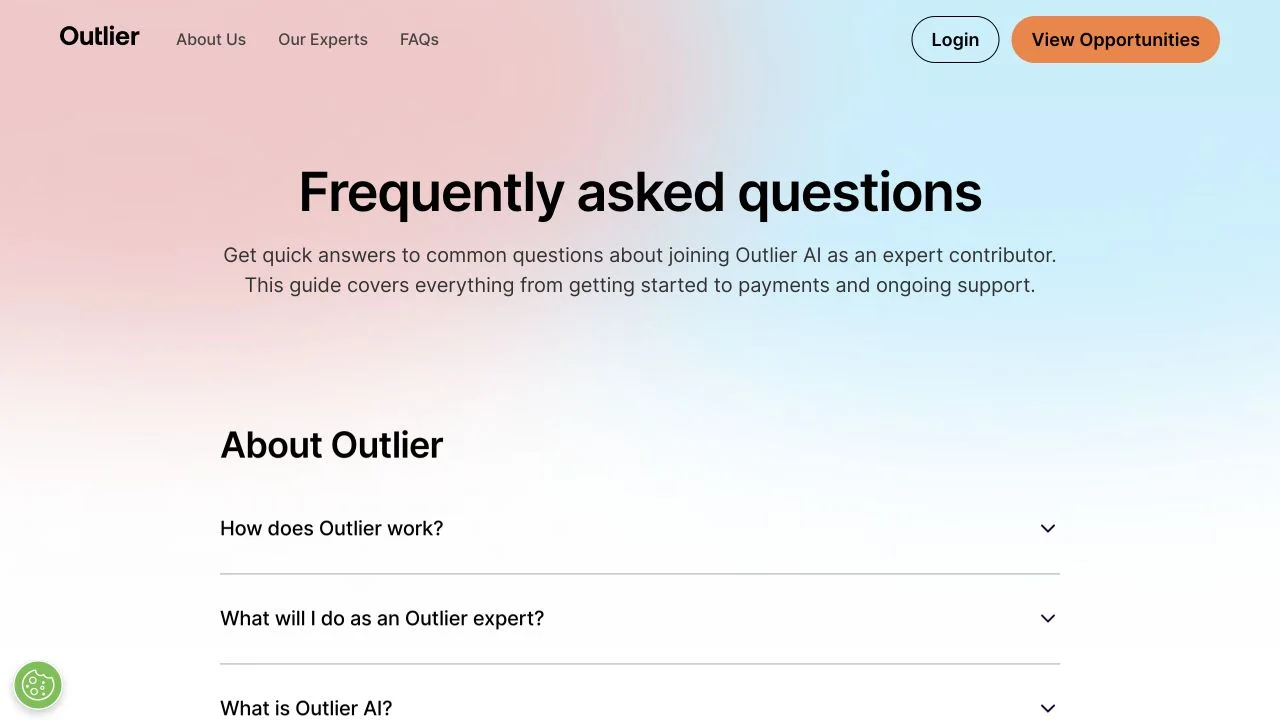 Real public screenshot, 26 October 2026: Outlier's FAQ. Check the individual opportunity for its location and qualification requirements.
First move: select a language or subject you can work in accurately. Read the role, including education and identity requirements, before starting onboarding. Check the displayed project rate and distinguish core tasks from onboarding or other work that may have a different rate.
Upwork: sell a specific result to a client#
Upwork works differently from a centrally assigned AI task queue. You offer a service, a client evaluates your proposal, and you agree the work. Its public virtual-assistant category illustrates administrative services that do not inherently require programming.
Start with something concrete: clean and categorize a spreadsheet, answer a defined set of support messages, test an agreed website flow, or organize a small set of product records. Show an example of the result using your own or invented sample data, clearly labelled as a sample. A client needs to understand what they will receive.
Budget for applying. Upwork's Connects documentation lists purchased Connects at $0.15 each; required quantities vary. Its freelancer service fee currently varies from 0% to 15% by contract. Read the fee shown for the actual contract. Spending on proposals does not guarantee a client.
First move: write one sentence stating the deliverable, scope and turnaround you can actually provide. Compare a few closely matched jobs before spending Connects, then send a relevant proposal with a small sample.
Prolific: a smaller starting point with a different model#
Prolific connects eligible participants to research studies. Its participant process includes a waitlist, invitation and verification. Studies are matched to eligibility and demographic requirements; answer profile questions accurately. Spain is included in its supported participant countries.
Prolific's researcher pricing guidance specifies a minimum effective study rate of £6/$8 per hour and recommends £9/$12. These are rates for time in studies, not a promise of continuous study availability or a monthly salary. A 15-minute study at an effective $12 per hour pays $3, not $12. You still need the submission approved and the balance eligible for cashout.
First move: check country eligibility and join the official participant process. Treat any studies you receive as occasional opportunities while developing a more substantial skill or client service.
I cannot code: what can I offer?#
AI systems need people who can notice errors, understand instructions and explain a judgement. Some projects need programmers; others need writers, speakers of a particular language, subject experts, or people who understand everyday workflows.
Start with evidence of what you already do:
- Language: can you spot awkward wording, translate accurately or explain a cultural nuance?
- Writing and reasoning: can you compare two answers and point to the specific error or missing information?
- Administration: can you organize records, follow a process, check details and deliver a clean spreadsheet?
- Customer service: can you understand a request, explain a solution and keep the tone appropriate?
- Software use and testing: can you reproduce a bug, describe the steps and show what should have happened?
- Subject knowledge: can you explain a real decision from your professional or academic field?
Here is a practice exercise you can do without code. Imagine a customer asks whether a hotel booking is refundable. Answer A confidently promises a refund without reading the booking terms. Answer B asks for the reservation's cancellation policy and explains that the terms determine the result. Which answer is more useful, and why? A strong explanation identifies the unsupported promise, the missing evidence and the next useful action.
This is an invented practice example, not a leaked assessment answer. Use it to practise the habit of explaining your reasoning. If you cannot yet do the relevant work consistently, learn and practise that skill before applying to a track that depends on it.
How to prepare for Zara and other AI interviews#
An AI interview can feel harder because there is less human reassurance. You may worry that your accent, pauses or lack of technical vocabulary will make you fail. Prepare the parts you can control: understanding the role, explaining your own experience, and using the equipment confidently.
Prepare five real examples#
Write short notes about a time you:
- Solved a problem or corrected a mistake.
- Followed detailed instructions or checked quality.
- Made a judgement when the answer was not obvious.
- Learned a tool or a process.
- Explained something clearly to another person.
For each, practise situation → what you did → result → what you learned. A genuine example from study, a personal project, volunteering or customer service can be useful where the role accepts that experience. Do not turn it into an invented paid job or qualification.
Practise answering the question that was actually asked#
Useful rehearsal questions include:
- “Tell me about yourself and the work relevant to this role.”
- “How would you decide which of two answers is better?”
- “Describe a time you found an error.”
- “What would you do if the instructions were ambiguous?”
- “How would you check whether a factual claim was reliable?”
These are preparation prompts, not a claim that Zara or Mercor will ask these exact questions. Answer the question first, give one specific example, and explain your reasoning. If you do not understand a question, ask for clarification if the interview format allows it.
Check the rules before using AI in an assessment#
Check the assessment's rules before switching on any assistant. Mercor's LLM policy permits limited grammar or light wording assistance but prohibits using LLMs to compose substantive answers, ratings, rationales or code evaluations. micro1's requirements can also prohibit outside assistance; the exact instructions attached to your role control the assessment.
Complete restricted assessments independently. In interviews, client calls and meetings where assistance is allowed, MagicInterview's core use is different: it stays with the live conversation and shows what to say next, using your own context. Setting it up well helps make those answers relevant; it cannot supply missing expertise or guarantee selection.
Get live answers with MagicInterview during the conversation#
You have chosen a platform or won a client conversation. Now someone asks a question, changes direction or raises an objection. MagicInterview listens and shows an answer you can use in that moment. Its AI combines the words being spoken with the sources you choose, so you can keep talking instead of trying to search a document or invent a response under pressure.
1. Give the live helper the context that matters#
Create an account or sign in, then keep the conversation's sources together in a workspace: your CV and work examples, the job description, company information, or the client's current situation and meeting objective. A sales call needs the client's problem and your offer; an interview needs the role and your evidence. The answer should draw on those sources rather than generic claims about an imaginary candidate.
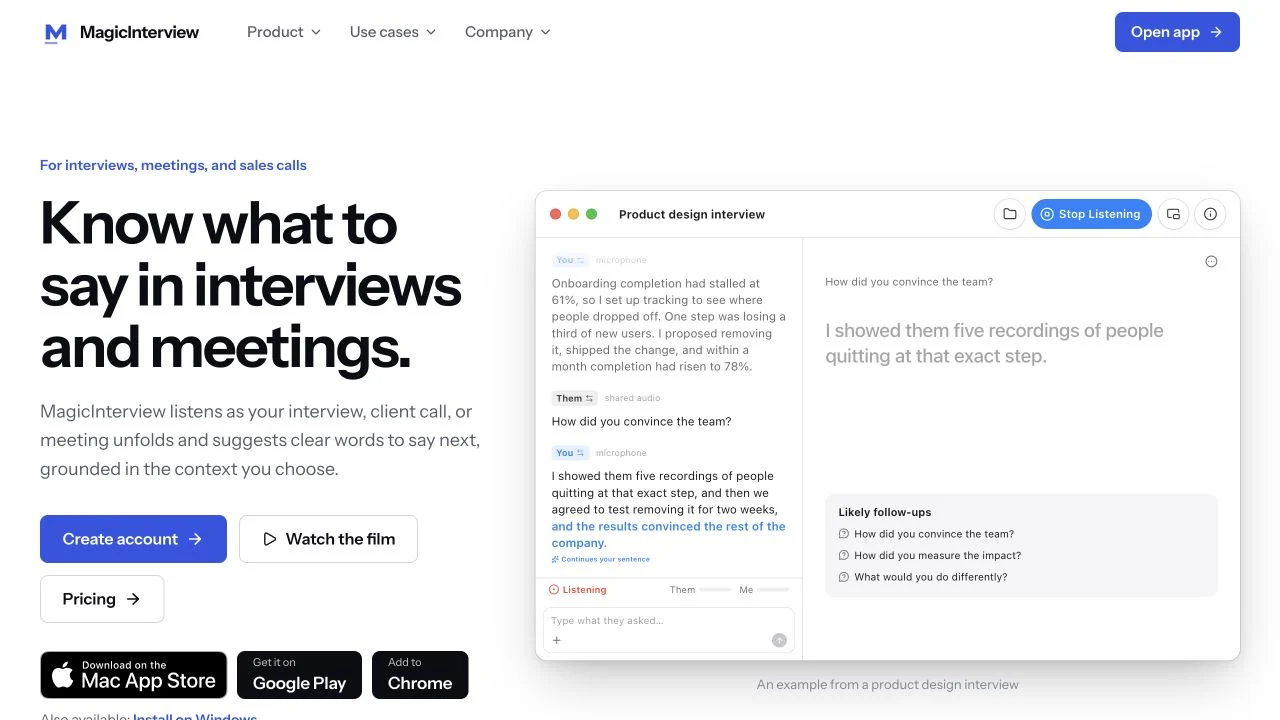 Screenshot of MagicInterview's public live-helper demo, 26 October 2026. The role, transcript, project details and numbers are illustrative sample content, not a customer's results, a private interview, earnings evidence or a promised response time.
2. Start listening to the conversation#
Open the conversation in MagicInterview, choose the available audio source and start listening. Real-time speech recognition follows what is being said; the AI uses that live exchange and your saved context to suggest the next answer and relevant follow-ups. Keep the answer visible while you speak in your own voice.
Think of a client asking, “Why should we pay more for your service?” Your client brief supplies the actual problem, scope and differentiator; the live question supplies the immediate objection. That is the useful combination: your sources plus the conversation happening now. Review suggested facts against your real experience rather than repeating a claim you cannot support.
3. Choose the device route that fits your call#
| Your setup | How to keep live answers with you |
|---|---|
| Mac with Google Meet, native Zoom or WhatsApp audio playing on the computer | Use the Mac app's supported computer-audio capture and microphone; keep the answer beside the conversation |
| Windows computer | Install the web app from Chrome or Edge; choose a shared tab or other supported audio source and enable its audio when offered |
| A call in Chrome | Use the Chrome extension to capture the selected call tab and keep suggestions in view; it does not capture a separate native desktop app |
| iPhone, iPad or Android | Use the app for microphone-based conversations and live answers, or use the phone as the synchronized answer display while your Mac listens |
| Browser on another computer | Open the web app and choose the audio source the browser makes available |
One account keeps the conversation and sources in sync. The Windows route is an installable web app, not a separate native Windows executable. A phone cannot necessarily capture another app's call audio on that same phone; using it beside a listening Mac gives you a clear alternative. Follow the installation and connection guide for your chosen route.
4. Keep the answer in view when your camera and screen sharing are on#
You can keep the meeting on your Mac and the answer on your synchronized phone. Your Mac shares its own display; the answer is on a separate physical device. This is useful when you need to show a document, an application or your whole desktop while continuing to talk on camera.
The Mac also has a screen-sharing visibility setting, referred to here as MagicInterview Invisible. Capture behavior depends on the macOS version and the meeting or recording method: preview the share before relying on it, rather than assuming every recorder excludes the window. For an answer display outside the shared Mac screen, choose the synchronized second-device route. Assistance rules still apply when a platform asks for camera or full-screen sharing, including an AI interview such as Zara.
5. Choose local or cloud options and enable live access#
On supported hardware, on-device speech recognition and model options let selected processing run locally; available hardware and settings determine what stays on the device. Cloud options are also available. Choose the mode for your actual setup rather than assuming every device has the same local model.
Your account and saved workspace are free. Pro enables the cloud AI live-answer tools under the current plan terms, alongside supporting features such as spoken practice. Web plans are one-time payments for their stated access periods; native-store prices and renewal terms are shown separately.
Get help with the question happening now: open MagicInterview, add the CV, role or client sources, and set up your live audio route. Compare Pro access for cloud live answers. The limited free answer preview is available if you want to see an example first; the main experience is live help during your actual conversation.
From your first application to your first payment#
The most useful way to track progress is by the actual next step:
| Stage | What it establishes | What to do next |
|---|---|---|
| Profile created | You have an account | Find a relevant opportunity and its requirements |
| Assessment submitted or passed | You completed screening or qualified for consideration | Check the result and matching/project instructions |
| Matched or invited | There may be suitable work | Read the proposed scope, rate and conditions |
| Contract and onboarding complete | Administrative setup is in place | Confirm the approved project and actual task access |
| Approved work available | You can access the assigned work | Follow its instructions, cap and time/submission rules |
| Work submitted or time recorded | Work has been reported | Check review, approval and payable balance |
| Payout processed | A transfer has been initiated or marked paid | Match the provider reference to the receiving account |
| Money received | The payment reached your bank or wallet | Reconcile the amount, currency, fees and your records |
A Slack invitation, a payroll account or an installed time tracker can be part of onboarding. None of them, alone, means you have authorized tasks or that a running timer will be paid. Before working, know which project, which task, which rate, which cap and which approval rules apply.
If you see no tasks, inspect the project status and official instructions. Contact the platform through its support route with the exact project and error, rather than repeatedly creating accounts or tracking time while waiting. Keep your backup route moving. A temporary empty queue can reflect demand or matching, not necessarily a failed assessment.
Will the money really arrive?#
These platforms publish payment processes for their programs. That is meaningful evidence that there is a defined route from approved work to payment. It does not prove that you personally have been accepted, that a particular task will be approved, or that an advertised number will reach your bank.
Know the payment mechanism before doing the work#
| Platform | Published payment route | Timing and conditions to understand |
|---|---|---|
| micro1 | USD through Deel | Work from the 1st–15th is scheduled around the 20th; the second half around the following 5th. Approval, PST processing and holidays affect timing. See payroll policy |
| Mercor | USD through region-assigned Stripe or Wise | Weekly Wednesday processing for the previous Saturday–Friday IST cycle; first Stripe payout has a seven-day hold and bank timing varies. See payments |
| DataAnnotation | PayPal | Its FAQ says requested withdrawals arrive within a few days. Confirm the eligible balance and correct PayPal address. See payment FAQ |
| Outlier | Methods include PayPal, Airtm or ACH, subject to availability | Tuesday processing for the previous Tuesday–Monday work period. Check project rates and account payment setup. See FAQ |
| Upwork | Available withdrawal methods depend on location | Hourly funds normally become available 10 days after the weekly Sunday close; fixed-price funds have a five-day security period after approval. See getting paid |
| Prolific | PayPal | Cashout requires at least £6/$6 in combined approved balance. Its help page says within 24 hours, usually sooner, with longer intervals between initial cashouts. See cashout rules |
Keep four pieces of evidence: the agreed rate and scope; approved work or payable hours; the payout reference; and the receiving bank or wallet transaction. This lets you distinguish “work recorded,” “payment pending” and “money received” when something needs support.
For micro1, Hubstaff guidance and Deel guidance explain why recorded hours and an invoice do not necessarily update at the same moment. For Mercor, check time-tracking rules and Earnings status. Follow the exact project's rules rather than assuming any recorded hour is approved.
Calculate earnings from approved work, not the headline rate#
Suppose, purely as an illustration, a project pays $25 per approved hour and you receive eight approved hours in a week. Gross earnings are $200. If there are only two approved hours, they are $50. Unpaid preparation time, platform or withdrawal fees where applicable, currency conversion and tax obligations change the amount you keep. The example is arithmetic, not a forecast.
For your own comparison, divide money actually received after platform/payment fees by all the time you spent applying, qualifying, doing tasks and handling administration. Keep the calculation consistent across routes. A higher advertised hourly rate can produce less total income when work is scarce.
Recognize requests that deserve a second look#
Use the official domain and the platform's own account and support channels. Be suspicious of someone promising acceptance or asking you to send money to unlock tasks. DataAnnotation's FAQ states that signup and verification are free. Distinguish that from Upwork's documented proposal costs or an optional preparation product with clearly stated terms. Paying for a tool, course or proposal never buys selection or guaranteed work.
Do not publish confidential tasks, client material, identity documents or private dashboards as evidence of earnings. A redacted payment record can help your own reconciliation; an unverified social-media screenshot cannot establish what you will earn.
Your first seven days#
This is a suggested action plan, not a promise of a job or payment within a week.
- Day 1: choose the route. Write down your strongest language, three useful skills, country of residence and realistic availability. Select one primary platform and one backup.
- Day 2: inspect real requirements. Open current listings or the official participant process. Check location, experience, equipment, assessment and payment rules. Save the exact role details you intend to use.
- Day 3: create proof. Prepare a truthful CV and two small work examples. For client work, make a clearly labelled sample deliverable. Remove private information belonging to other people.
- Day 4: set up your live helper. Add your CV, role and company or client sources to MagicInterview. Check the audio route and where you will read the answer during a permitted live conversation. Supporting practice and the platform's own practice environment can help you check your setup and understanding.
- Day 5: complete one focused application. Set aside the required uninterrupted time. Read the rules and complete restricted assessments independently.
- Day 6: check the actual next step. Are you waiting for a result, matching, a contract or task access? Act on the step you can see. Do not interpret silence as a job offer or start billing while waiting.
- Day 7: review and adjust. Improve your examples, inspect another relevant opportunity or continue the backup route. If work is assigned, prioritize understanding and delivering it correctly over opening more accounts.
Frequently asked questions#
Can I make money online without coding?#
Yes, noncoding routes exist: writing, language evaluation, response comparison, administrative services and research participation are examples. Each has its own entry requirements. Noncoding means the work does not require programming; it does not mean there is no skill, screening or quality standard.
I know nothing about AI. Where should I start?#
Start with a task you understand outside AI: explain a customer-service decision, identify a factual error or organize a spreadsheet. Learn how to describe your judgement. If the role requires knowledge you cannot demonstrate, practise that skill or choose a better-matched route. A domain expert does not need to become an AI researcher merely to inspect an AI answer in their own field.
What if I am sure I will fail Zara?#
Practise your introduction, five real examples and the reasoning behind your decisions. micro1 offers its own practice page. Follow the actual language, equipment and assistance rules; complete independent assessments without outside answers. For permitted live interviews and meetings, MagicInterview can follow the spoken question and show a response grounded in your sources. No tool can promise selection.
Can MagicInterview get me accepted?#
MagicInterview's advantage is live: it listens to the current question, draws on your CV, role, company or client sources, and shows what to say while the conversation continues. That can help you communicate what you know in a permitted interview or meeting. Platform selection, skill certification and work allocation remain with the platform; MagicInterview does not provide jobs or pay earnings.
Does passing an assessment mean I can start earning immediately?#
Only when the platform has actually assigned approved work and you have the required access and instructions. Certification, matching, contracting, task access and payable work are different stages. micro1 explicitly states that certification does not guarantee immediate placement.
Which platform is best for a beginner?#
Use the starting-route table rather than a universal winner. A strong writer may investigate generalist evaluation; someone with a demonstrable service may try client freelancing; someone wanting occasional studies may consider Prolific. Country, language, screening and current supply can change the answer.
Can I use these platforms from Spain or elsewhere in Europe?#
Mercor lists Spain in its supported-country policy, Prolific lists Spain, and the cited Outlier Spanish-writing opportunity includes Spain. That is not blanket approval for every role or European country. Check your actual country and listing. DataAnnotation's complete current country whitelist was not established from the public pages reviewed here.
What if I pass but there are no tasks?#
Check the dashboard's actual status and the official support instructions. Keep your profile accurate and inspect relevant opportunities, but do not create duplicate identities or run a paid-work timer without authorized work. Continue your backup route. Prolific also explains that studies depend on eligibility and available demand.
How do I know the payment is real?#
For your own work, match the approved amount to a payout reference and then the actual transaction in your receiving bank or wallet. An advertised rate, a contract, an invoice and a “processing” label establish different things. Keep the evidence for each step.
What should I do right now?#
Choose one suitable route and read one current opportunity. Open MagicInterview, add your CV and the role or client context, and choose your live audio setup so you can see what to say during a conversation where assistance is allowed. Then complete the application or participant process you understand. You do not need six accounts, a perfect script or a programming course before taking that first useful step.